MirrorLink App for Car
Boss IncLibraries & Demo
4.31.25K Reviews
- Version
- 200.1.1
- Installs
- 1.00M
- Age Rating
- Everyone
Screenshots
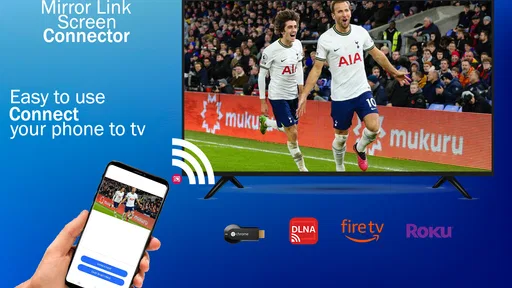
Our Review of MirrorLink App for Car
 Analysis by Appyee
I tested MirrorLink App for Car with a fairly ordinary goal: make a phone more useful when I am already sitting in the car, without turning the dashboard into another complicated device to manage. The app belongs to the Libraries & Demo category, is made by Boss Inc, and is free to install. Its purpose is straightforward, but the experience depends heavily on the phone, the car screen, and the connection method working together.
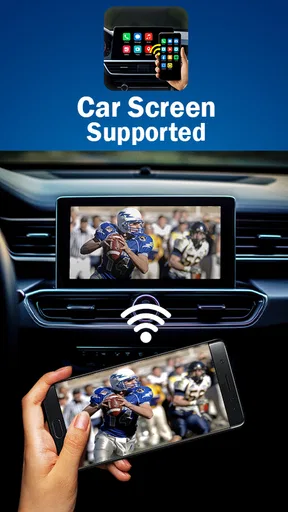
My first impression was that this is best understood as a bridge rather than a complete car entertainment system. It does not replace the car’s own interface; instead, it aims to connect the phone to a compatible vehicle display through mirror-link tools. That distinction matters. If your car and phone already support the relevant connection, the app can make the process feel more approachable. If they do not, installing it alone will not magically add compatibility.
How it fits into a shared household car
The most useful scenario I found was a household car used by several people. One person may need navigation, another may want to manage music, and a passenger may need to check something on the phone while the vehicle is parked. In that setting, a phone-to-screen connection can reduce the need to hold a handset or pass it around. The value is less about novelty and more about keeping the driver’s attention away from the phone.
That shared-use situation also exposes the app’s boundaries. MirrorLink App for Car does not turn a family’s phones into one shared account, and I would not treat it as a household management tool. Each person still brings their own device, apps, preferences, and responsibility for disconnecting afterward. The app can help with access to the car screen, but it does not organize who should use it or what each person is allowed to display.
For a practical example, imagine leaving for a weekend trip with two adults and a teenager in the same car. Before moving, the driver can connect the phone that will provide the route, while a passenger can help with music or messages without leaning over the center console. When the trip ends, the person who connected the phone should remove it or stop the session before handing the car to someone else. That small habit prevents the next driver from finding an unexpected device still active.
The app is most helpful when it simplifies an already compatible setup, not when it is expected to solve every compatibility problem. I would check the car manufacturer’s documentation and the phone’s own connection capabilities before relying on it for a long journey. This is especially important for older vehicles, aftermarket screens, or phones that use a manufacturer-specific projection system instead of MirrorLink.
What the connection experience feels like
In use, I approached the app as a preparation step: open it before driving, make the connection while parked, and confirm that the display behaves as expected before pulling away. That workflow is more reliable than trying to troubleshoot while the vehicle is moving. It also gives everyone in the car a clear point at which the phone has been handed over to the dashboard.
The interface is not something I would choose for deep phone management. Its strength is getting the phone and screen into the same conversation. Once connected, the quality of the experience depends on what the car screen supports and how the phone handles the link. Some users may find the process immediate; others may need to try a different cable, connection setting, or supported device combination. That variation is a limitation of this type of tool, even when the app itself is easy to open.
I also recommend starting with one phone rather than pairing several devices at once. In a shared car, testing every family member’s phone during a rushed departure creates unnecessary confusion. Connect the primary driver’s device first, confirm that the screen responds, and only then decide whether another phone needs to be used. This simple order makes it easier to identify whether a problem comes from the app, the phone, or the vehicle.
Setup boundaries that are easy to overlook
MirrorLink App for Car is not a universal adapter. The store summary points to smart mirror-link tools for connecting a phone to a car screen, but the words “connect” and “compatible with every car” are not the same thing. I would not buy a new head unit or change a family’s driving routine based only on the app’s presence. The vehicle display must support the relevant technology, and the phone must cooperate with it.
Another boundary is the difference between mirroring and a purpose-built automotive interface. A mirrored phone screen may show more of the handset’s familiar layout, while a car-focused system may offer larger controls and tighter integration with steering-wheel buttons or voice functions. If your priority is a polished driving interface, the car’s native system or an established platform such as Android Auto or Apple CarPlay may be a better fit when available.
I would also keep the initial setup conservative. Use the phone that normally belongs to the driver, avoid changing several system settings at once, and test the connection while stationary. If the screen does not respond, disconnect cleanly and check compatibility rather than repeatedly tapping through menus. This is a small but useful distinction: the app can assist with mirroring, but it cannot repair a damaged cable, unsupported vehicle firmware, or a phone that does not expose the required connection mode.
For a family, the cleanest arrangement is to agree on one primary device for navigation and one backup device. That is not a feature provided by the app; it is a household routine that makes the app easier to live with. It prevents arguments over whose phone should be connected and reduces the temptation to make changes while the car is already in motion.
Coordinating drivers, passengers, and devices
Shared-device use works best when responsibilities are clear. The driver should decide what is shown before leaving, while passengers can help with route changes or entertainment when the car is safely stopped or when the driver can remain focused. MirrorLink App for Car can make the screen more visible to everyone, but visibility is not the same as permission to control it. I would keep that distinction explicit in a household.
One useful habit is to give the connection a beginning and an end. At the beginning, the driver checks the route and the screen. At the end, the driver or the person who connected the phone disconnects it, locks the handset, and takes the device out of the vehicle. This matters when several people share a car because an active connection can reveal the previous user’s content to the next person who starts the vehicle.
There is also a practical trade-off between convenience and distraction. A larger display can make information easier for passengers to see, but it can also invite more interaction. I would use the app for quick, familiar tasks and avoid treating the car screen like a tablet. If someone wants to browse extensively, change many settings, or install something new, the safer choice is to do that away from the road.
For households with multiple Android phones, I would test each device separately rather than assuming that one successful connection proves all others will work. Different phone manufacturers can handle projection and mirroring differently. Keeping a short household note about which phone connects reliably can save time, especially when a car is shared by people who do not want to troubleshoot technology before work or school.
Age, trust, and what the app does not manage
The content rating is Everyone, which makes the app broadly suitable from an age-label perspective. That does not mean every connected activity is automatically appropriate for every passenger. The phone’s own apps and notifications remain part of the experience, so parents and guardians should decide which device is connected and what is visible in the car.
I would be particularly careful with a child’s phone. A teenager may be comfortable connecting it, but that does not make the car screen a private space. Notifications, messages, photos, or account information may become visible to other passengers depending on the phone and the way the vehicle handles mirroring. The app is not a substitute for checking the phone’s notification settings or agreeing on what should appear during a family trip.
There are no household boundaries created by the app itself. I would not expect separate child profiles, approval requests, driving-time schedules, or a family dashboard. If those are important, a phone’s built-in family and digital-wellbeing tools, the car’s own user profiles, or a dedicated automotive platform will be more appropriate. That is not a criticism of its basic purpose; it is simply a reminder to choose the right layer of technology.
Trust also matters when using someone else’s phone. A passenger may ask to connect a device for music or navigation, but the owner should know what information could appear on the larger display. In my view, the sensible approach is to connect only when the owner is present, review the visible screen, and disconnect when the ride is over. This is especially important in cars used by relatives, roommates, or coworkers.
Everyday strengths and real friction
The main strength is focus. When the setup works, the phone can be used through a more visible car display instead of being held low in the hand. That can make a shared trip less awkward, particularly when a passenger is helping with directions. The app is also easy to consider because it is free, and it has reached over a million installs, suggesting that many people are exploring this kind of connection.
Its public reception is positive overall, with an average rating of 4.3 from around nineteen thousand ratings and about one thousand two hundred written reviews. I see that as encouraging rather than conclusive. Connection tools are unusually dependent on the exact phone and vehicle combination, so one person’s smooth setup may not match another person’s experience.
The friction comes from that same dependency. A user can install the app quickly and still spend time checking whether the car screen accepts the connection. A cable or wireless link can introduce another point of failure, and the car may impose its own restrictions. I would therefore judge the app after testing it in the actual vehicle, not after reading the store page or seeing that it opens successfully on the phone.
The developer is Boss Inc, and the current version is 200.1.1. The app supports Android 7.0 and newer, which gives it a useful range across older and newer Android phones. Still, operating-system support is only one part of the equation. A supported Android version does not guarantee that a particular car display will accept the connection, so compatibility testing remains the decisive step.
There are in-app purchases priced at $14.99 per item. Because the basic download is free, I would first establish that the app works with the intended car and phone before considering any optional purchase. For a shared household, that is especially sensible: one person should not spend money before the actual vehicle setup has been proven reliable.
When another option makes more sense
I would choose Android Auto or Apple CarPlay over this app when the car and phone support them and I want a more standardized driving interface. Those systems are generally designed around large controls, voice interaction, and selected automotive apps rather than broad phone mirroring. If your main need is dependable navigation and media control, a purpose-built platform may feel less experimental.
I would also skip this app if the car has no compatible screen or if the household expects one-click switching between many phones. In that case, the app may create more setup work than value. A simple Bluetooth connection can be better for calls and audio when screen access is unnecessary, while the car’s native interface may be preferable when it already handles the essential tasks well.
On the other hand, MirrorLink App for Car remains worth trying for someone with a compatible Android phone and a vehicle that supports the relevant mirroring approach. It can be a practical middle ground when the owner wants the phone’s content to reach the car display without replacing the head unit. The key is to treat compatibility as a requirement, not as an optional detail.
My household verdict
After using it with a shared-car mindset, I see MirrorLink App for Car as a useful connector with a narrow but understandable job. It can help a driver and passengers work from a larger screen, and it is most valuable when the phone and vehicle already speak the same language. The free entry point makes testing easy, while the Everyone rating and broad Android support make it approachable for many households.
I would recommend it to families, roommates, and couples who share a compatible car and want a simple way to bring a phone’s display into the dashboard experience. I would tell them to test one device while parked, agree who controls the connection, review what notifications may appear, and disconnect at the end of every trip. Those habits matter as much as the app itself.
I would not recommend it as a replacement for family controls, a guarantee of universal compatibility, or a full alternative to a dedicated automotive platform. If your priorities are account separation, child supervision, polished voice control, or effortless switching between drivers, look elsewhere. If your need is more modest, and your car already supports the necessary link, this app can earn its place as a practical household tool.
My final view is cautiously positive: try it in the exact car and with the exact phone you plan to use, then keep the setup simple. When those conditions line up, the app can remove a little friction from shared driving. When they do not, no amount of tapping will turn an unsupported screen into a reliable smart dashboard.
Privacy and Permissions
See what permissions an app requests and how it handles your data.
- Wi-Fi connection information
- view Wi-Fi connections
- Other
- view network connections, allow Wi-Fi Multicast reception, full network access, control vibration, prevent device from sleeping, Google Play license check
Verdict
Strengths of MirrorLink App for Car
- Simple way to mirror compatible phone content on a car display.
- Can provide easier access to navigation and music while driving.
- Reduces the need to handle your phone during short trips.
- Useful for vehicles with older infotainment systems.
- Setup may be quick when the phone and car are fully compatible.
Limitations of MirrorLink App for Car
- Compatibility varies widely between phones, cars, and USB systems.
- Many newer phones no longer offer native MirrorLink support.
- Mirrored apps may look poorly scaled on some vehicle screens.
- A wired connection can be inconvenient for frequent short journeys.
- Some features may be limited by regional or manufacturer restrictions.
Other Releases by Boss Inc
View All
Samsung SmartTag
Libraries & Demo3.0
Similar Picks in This Category
View All
PGT: GFX, Launcher & Optimizer
Trilokia Inc.4.5

AusweisApp Bund
Governikus Service GmbH3.7

Cardboard
Google LLC3.2

Gamers GLTool with Game Tuner
Trilokia Inc.4.5

Multi Web Chat - Read Secretly
World Scan & Cleaner3.8

App Cloner Premium & Add-ons
App Listo1.9
Frequently Asked Questions
What is MirrorLink App for Car and how does it work?
MirrorLink is a smartphone-to-car connectivity technology that can display selected mobile apps on a compatible vehicle infotainment screen. After connecting a supported Android phone, usually with a USB cable or, on some systems, wirelessly, the car interface may provide access to navigation, music, calls, and other approved services. Availability depends on the phone, vehicle, and software version.
Is MirrorLink compatible with every Android phone and car?
No. Compatibility is one of the most important points to check before downloading or using a MirrorLink-related app. Many newer phones and vehicles no longer support the original MirrorLink standard, while some older Samsung, Sony, HTC, and other Android devices may work with compatible cars. You should verify the exact phone model, Android version, head-unit system, and supported applications in the manufacturer’s documentation.
Can I use navigation, music, and calls through MirrorLink while driving?
Compatible MirrorLink systems can provide access to selected navigation, music, phone, and messaging features through the vehicle display. However, the available apps are controlled by compatibility and safety certification, so not every application installed on your phone will appear. Always configure destinations and playlists before driving, use voice controls where available, and follow local laws to avoid distraction.
Does MirrorLink require an internet connection or mobile data?
MirrorLink itself mainly creates a connection between the phone and the vehicle, so it does not necessarily require a separate internet subscription. Nevertheless, individual features may need mobile data or Wi-Fi. Online maps, traffic information, streaming music, weather updates, and cloud services can consume data, while offline navigation and locally stored media may continue working without an active internet connection.
What should I do if MirrorLink does not connect or the screen stays blank?
Start by checking that both the phone and car infotainment system officially support MirrorLink. Use a high-quality data-capable USB cable, unlock the phone, enable the required permissions, and select the correct projection source on the car display. Restarting both devices and updating their software can help. If the service is unavailable, your vehicle may support Android Auto or Apple CarPlay instead.
